Lead Generation · 27 July 2026 · 11 min read
7 Best Lead Qualification Forms for B2B Teams in 2026
The best lead qualification forms don't just collect data — they score answers, route leads automatically, and stop junk from reaching your CRM. Here are the 7 best tools, compared.
Most B2B forms ask the same three questions: name, email, company. Then they send everyone to the same thank-you page and dump every submission into a CRM queue for a sales rep to manually sort through. That approach worked when inbound volume was low. It does not work when your forms are getting dozens or hundreds of submissions a week from a mix of ideal buyers, students, competitors, and people who aren't sure what your product actually does.
A lead qualification form is different. It asks the right questions, scores the answers in real time, and routes each submission to the right outcome automatically — a meeting link for top-fit leads, a resource for mid-tier prospects, a polite redirect for poor fits. The sales rep only sees leads that cleared the bar. The result is fewer wasted calls, faster follow-up on the leads that matter, and a CRM that reflects your actual pipeline instead of your total form volume.
Here is what the data says about why this matters: according to Gartner, sales reps spend up to 20% of their time pursuing leads that will never convert. Research from InsideSales found that responding to a qualified lead within five minutes makes you 100 times more likely to connect compared to waiting 30 minutes — but that speed advantage evaporates entirely if you are spending the first 45 minutes of your day disqualifying junk submissions before you can identify who to call.
We compared seven of the best lead qualification form tools on the market, covering scoring capabilities, routing logic, HubSpot integration, partial fill capture, and total cost. Here is what we found.
What is a lead qualification form?
A lead qualification form is a form designed not just to capture contact details, but to evaluate whether a prospect is a good fit for your product or service before they enter your sales pipeline. It asks questions that reveal buying intent — company size, role, current solution, timeline, budget — assigns a score based on the answers, and routes the lead to a different outcome depending on that score.
The key difference from a standard contact form is what happens after submission. A basic contact form creates a contact in your CRM and sends an identical thank-you message to everyone. A qualification form routes a VP of Sales at a 200-person company to a calendar link, routes a marketing manager at a 15-person startup to a self-serve resource, and routes a student researching for a university assignment to a polite decline — all automatically, with no rep involved.
What makes a great lead qualification form?
Before comparing tools, it is worth being clear about what you are evaluating. The best lead qualification forms share five characteristics:
- Real-time scoring: Answers are scored as the prospect types, not after submission. The score determines the routing outcome before anything reaches your CRM.
- Score-based routing: Different score ranges trigger different outcomes — not just a static thank-you page.
- Conditional logic: Follow-up questions appear or hide based on earlier answers, keeping the form relevant and short for each respondent.
- Partial fill capture: Answers are saved as they are typed, so you retain data from prospects who abandon the form before submitting.
- CRM integration: Qualified leads sync automatically to your CRM with their answers attached, ready for a rep to act on.
Most form tools cover one or two of these. The tools at the top of this list cover all five.
1. HuperForms — Best for HubSpot teams that need qualification
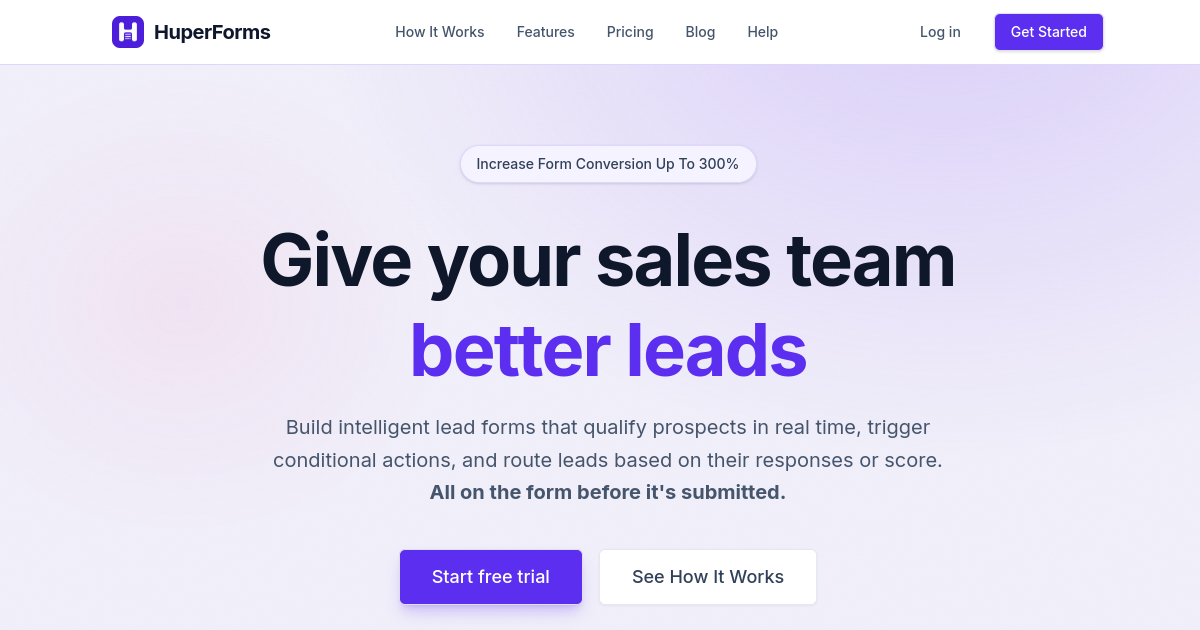
HuperForms is the only form builder designed specifically around the qualification workflow — from capturing the first keystroke to blocking junk before it reaches your CRM. It installs directly inside HubSpot and replaces HubSpot's native form builder, adding lead scoring, smart routing, partial fill capture, and multi-step conditional logic on top of your existing setup.
The scoring engine works differently from most competitors. Instead of tagging leads after they have already entered your CRM and triggered a workflow, HuperForms scores each answer in real time as the prospect fills in the form. By the time they hit submit, a score has already been calculated. That score determines what they see next: a meeting booking link for top-tier leads, a case study or trial link for mid-range prospects, or a message explaining why your product might not be the right fit right now for submissions below your minimum threshold.
The partial fill capture feature deserves special mention. Between 40 and 60% of people who start a B2B form never finish it. With HuperForms, every answer they type is saved the moment they move to the next field. Those partial fills appear in your dashboard with the respondent's email and everything they did complete — giving your SDRs a list of warm prospects who showed genuine interest but got interrupted before they submitted. That is a pool of leads that every other form tool simply discards.
- Real-time lead scoring: Each answer adds or subtracts points; score is calculated before submission hits your CRM
- Score-based routing: Top leads get a calendar link, mid-tier leads get a resource, low-fit submissions get a redirect
- Partial fill capture: Saves every answer as it is typed, even when the form is never submitted
- Multi-step conditional logic: Show or hide entire sections based on combinations of previous answers
- Junk lead blocking: Submissions below your scoring threshold never create a contact in HubSpot
- Native HubSpot sync: Qualified leads sync with all form answers attached as contact properties
Best for: B2B SaaS and professional services teams already using HubSpot who want to stop wasting sales rep time on unqualified leads.
Pricing: From $15/month. 7-day free trial, no credit card required.
2. Typeform — Best for conversational qualification flows
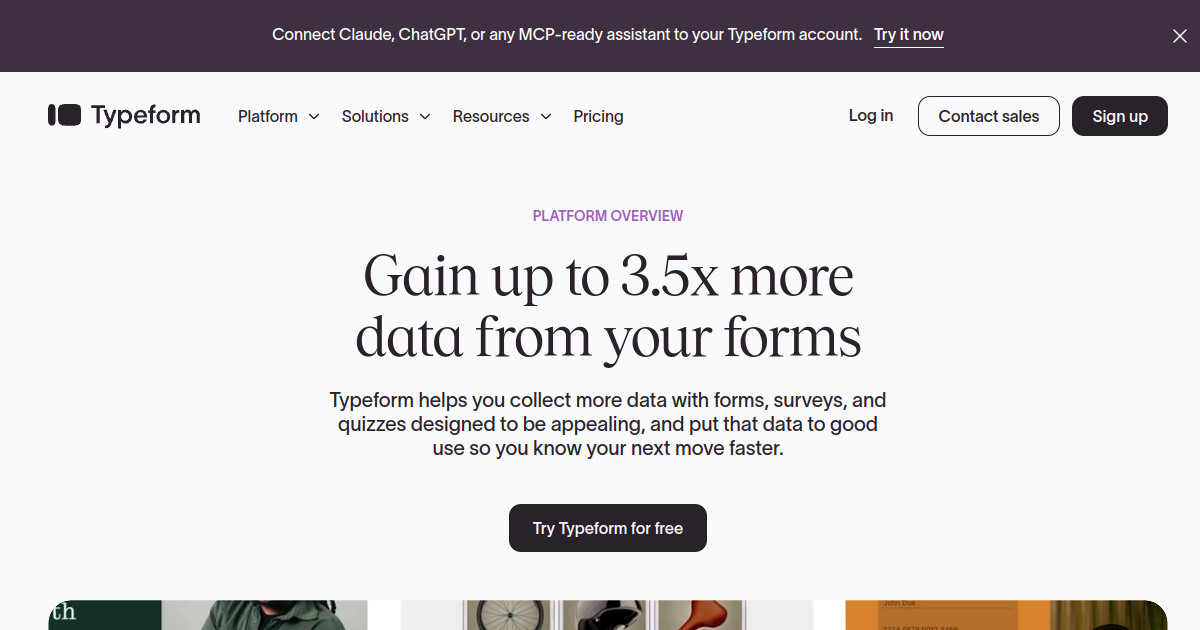
Typeform turns a qualification form into a one-question-at-a-time conversation. Instead of presenting a list of fields, it reveals them sequentially — one question per screen, with the previous answer visible above it. The psychological mechanism is well-documented: once someone answers the first question, they are far more likely to answer the second, then the third. This "foot-in-the-door" effect is why conversational forms consistently achieve three to four times the completion rate of standard multi-field forms.
For qualification purposes, Typeform's Logic Jumps allow branching based on answers — so a prospect who selects "fewer than 20 employees" can be routed to a shorter path, while a prospect who selects "500+" unlocks additional questions about procurement process and budget cycle. The branching logic is visual and easy to configure without technical help.
Where Typeform falls short for qualification teams is scoring and blocking. There is no native lead scoring engine — you would need to build a post-submission scoring workflow in HubSpot or Zapier separately. There is also no built-in junk blocking; every submission creates a contact regardless of what was answered. For teams that need scoring and routing baked into the form itself rather than assembled from multiple tools, Typeform requires more infrastructure than it ships with.
- Conversational one-question-at-a-time layout: 3 to 4x higher completion rates than static forms
- Logic Jumps: Route respondents to different question paths based on answers
- HubSpot integration: Syncs submissions to HubSpot contacts, though scoring requires a separate workflow
- Video questions: Record and embed question prompts as short videos
- Outcome screens: Show a different final screen based on how someone answered
Best for: Teams that prioritise completion rate and brand experience over automated scoring and blocking.
Pricing: From $25/month. Free plan available with limited responses.
3. Chili Piper — Best for instant inbound booking
Chili Piper is built around one core insight: speed-to-lead is the single biggest driver of inbound conversion. Its flagship product, Concierge, sits on top of any form and immediately presents a calendar to qualified leads the moment they submit. No confirmation email, no waiting for a rep to review the submission and send a Calendly link. Qualified. Calendar. Done.
The qualification layer in Chili Piper uses routing rules based on firmographic data — company size, territory, industry, CRM ownership — rather than a scoring engine based on form answers. This works well for teams with clean CRM data and clearly defined territory routing. It works less well for teams that need to qualify based on stated answers like "what problem are you trying to solve" or "what is your current solution."
Chili Piper is the most expensive tool on this list by a significant margin, and it is designed for enterprise teams with dedicated RevOps functions and large SDR pools. If you are a 10-person SaaS company generating 50 demo requests a month, the complexity and cost are difficult to justify. If you are an enterprise team routing 500 inbound leads per month across 12 territories and two product lines, Chili Piper is purpose-built for exactly that problem.
- Instant calendar after form submission: Qualified leads book immediately without waiting for rep review
- Territory-based routing: Automatically assigns leads to the right rep based on company, location, or CRM ownership
- Round-robin distribution: Balances lead volume across sales teams evenly
- Works with any form: Drops in on top of HubSpot Forms, Marketo, Pardot, or any third-party form
- SLA enforcement: Escalates leads that have not been contacted within a defined window
Best for: Enterprise B2B teams with complex territory routing and large inbound lead volumes.
Pricing: From $30/user/month. Typically sold as an enterprise package.
4. HubSpot Forms — Best free starting point for HubSpot users
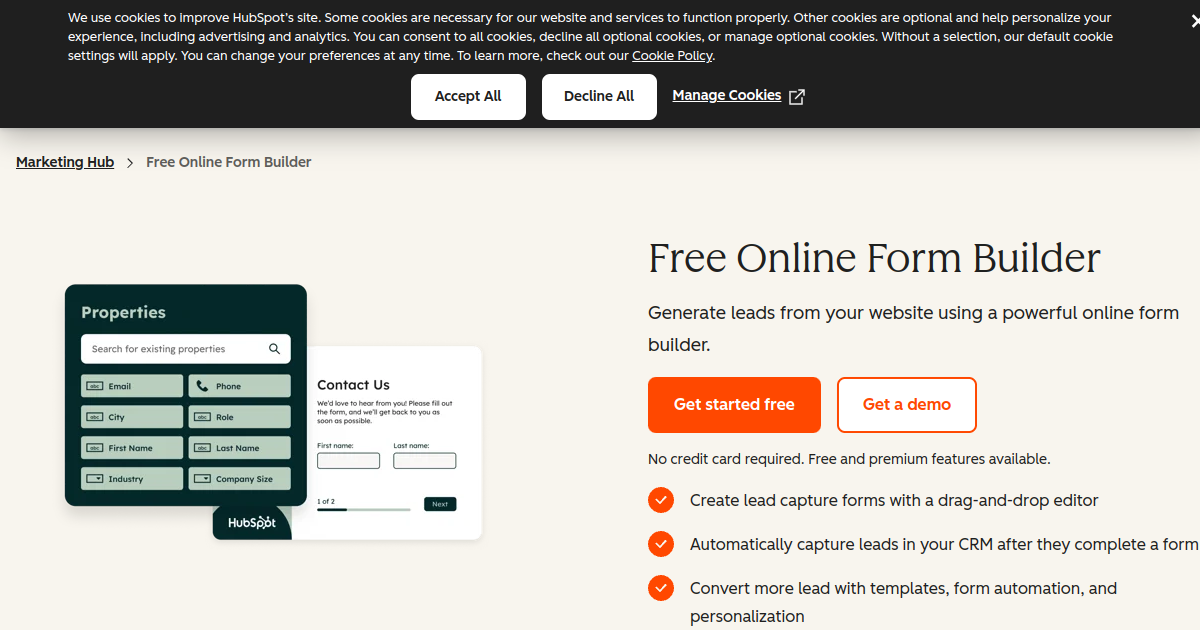
HubSpot Forms is the default choice for teams already in the HubSpot ecosystem, and for good reason: it is free, it is built in, and it syncs submissions to HubSpot contacts with zero configuration. For teams getting started with lead capture, it is the obvious first step.
The limitations become visible once you need qualification rather than collection. HubSpot Forms supports basic dependent fields — showing or hiding a single field based on a single previous answer — but it does not support multi-step logic, combined conditions, or score-based routing. Every submission creates a contact in HubSpot regardless of fit. The post-submission experience is a static thank-you message or a redirect URL; there is no mechanism for showing a calendar link to top-scoring leads and a different message to everyone else.
Teams often extend HubSpot Forms with a scoring workflow built inside HubSpot's Workflows tool. This works, but it fires after the submission has already entered the CRM — meaning junk leads still get created as contacts, still appear in reports, and still require manual pruning. The scoring happens too late to route or block.
- Free with all HubSpot plans: No additional cost for existing HubSpot customers
- Native CRM sync: All submissions create or update HubSpot contacts automatically
- Basic dependent fields: Show or hide a single field based on a single previous answer
- Progressive profiling: On Marketing Hub, returning visitors see fields they have not yet answered
- Pop-up and embedded variants: Deploy as an inline form, pop-up, or slide-in banner
Best for: Teams at an early stage who need basic lead capture and are already using HubSpot, with low form volume and no immediate need for scoring or blocking.
Pricing: Free with all HubSpot plans.
5. Jotform — Best for versatile multi-purpose forms
Jotform is one of the most versatile form builders available — it supports file uploads, payments, e-signatures, approval workflows, and over 150 direct integrations. For teams that need a single form tool to handle everything from event registrations to contract signing to lead capture, Jotform is a reasonable choice.
For lead qualification specifically, Jotform has conditional logic that can show or hide fields, calculate values, and route submissions to different email notifications based on answers. Its approval workflow feature adds a manual review step between submission and CRM entry — useful for teams that prefer human judgement over automated scoring rules.
The gap between Jotform and purpose-built qualification tools shows in two places. First, there is no native lead scoring engine — you cannot assign point values to specific answers and route based on the total without significant custom configuration or an external tool. Second, partial fill data is not saved; abandonment before submission means lost data. For teams with high inbound volume whose primary goal is qualification rather than versatility, Jotform requires more workarounds than it saves.
- Conditional show/hide logic: Fields appear or disappear based on previous answers
- Approval workflows: Route submissions through a manual review step before CRM entry
- Calculation fields: Compute values based on answers, useful for quote and pricing forms
- HubSpot integration: Syncs submissions to contacts, deals, or custom objects
- 5,000+ templates: Wide library covering most form types
Best for: Operations and marketing teams that need one form tool for many different use cases, not specifically qualification-first workflows.
Pricing: Free plan available. Paid plans from $34/month.
6. Formstack — Best for compliance-heavy industries

Formstack holds SOC 2 Type II, HIPAA, and GDPR compliance certifications, which makes it the default choice for healthcare, financial services, and legal teams that cannot use tools without formal compliance documentation. If a form collects patient data, financial information, or any PII in a regulated context, Formstack is built around exactly those requirements.
Beyond compliance, Formstack has solid workflow automation — submissions can trigger approval chains, populate document templates, and route to different team members based on field values. Its Salesforce integration is particularly deep, supporting custom objects and picklist field mapping in ways that most competitors do not.
For pure qualification use cases, Formstack's scoring capabilities are basic. You can use calculation fields to add up point values, but the routing logic that acts on those totals requires workflow configuration outside the form builder itself. Teams in regulated industries often accept this tradeoff because compliance non-negotiably comes first. Teams outside regulated industries will find more qualification-specific capability elsewhere on this list at a lower price point.
- SOC 2, HIPAA, GDPR compliance: Certified for regulated industries
- Salesforce deep integration: Maps to custom objects and picklist fields, not just standard contact fields
- Workflow automation: Multi-step approval chains between submission and CRM entry
- Document generation: Pre-populate contract and proposal templates from form answers
- Field encryption: At-rest encryption for sensitive data fields
Best for: Healthcare, financial services, and legal teams where compliance certification is a hard requirement, not a preference.
Pricing: From $50/month. Enterprise plans available.
7. Cognito Forms — Best for calculation-heavy qualification forms
Cognito Forms excels at one thing that most form builders handle poorly: calculated fields. If your qualification logic involves arithmetic — scoring a lead by multiplying company size by budget range, calculating an estimated deal value, or generating a personalised pricing estimate from form inputs — Cognito Forms handles this more elegantly than any competitor outside of purpose-built scoring tools.
It also supports repeating sections (useful for forms where the number of inputs varies, like "list all the tools your team currently uses") and multi-page layouts with section-level conditional logic. These features matter for qualification flows that need to adapt significantly based on early answers — showing a four-page enterprise qualification path to one respondent and a two-page SMB path to another.
The limitations are on the integration side. Cognito Forms does not have a native HubSpot integration — you need Zapier or Make to connect it to a CRM. And like Jotform, there is no built-in mechanism to block low-scoring submissions from reaching your CRM. For teams that can accept this and need sophisticated calculation logic as the primary feature, Cognito Forms is notably good value.
- Calculated fields: Build complex scoring formulas directly in the form using a spreadsheet-like expression language
- Repeating sections: Allow a variable number of input groups within a single form
- Multi-page conditional logic: Show or hide entire pages, not just individual fields
- Payment integration: Collect payments based on calculated totals
- Entry management: View, edit, and export all submissions from a built-in dashboard
Best for: Teams whose qualification logic involves complex calculations — pricing estimators, deal value scoring, or multi-variable eligibility checks.
Pricing: Free plan available. Paid plans from $15/month.
How to choose the right lead qualification form tool
The right tool depends on what your qualification bottleneck actually is. Start by answering four questions:
- Do you need scoring built into the form itself, or are you happy to score post-submission? If you want to block junk before it enters your CRM, you need a tool with a native scoring engine — HuperForms. If post-submission scoring in your CRM is acceptable, most tools on this list work.
- Do you need compliance certification? If you are in healthcare, finance, or legal, Formstack is the safe default. If not, you are paying a significant premium for a feature you do not need.
- Is your primary pain point form completion rate or lead quality? If completion rate is the problem, Typeform's conversational format helps significantly. If lead quality is the problem — too many unqualified submissions reaching your reps — you need scoring and blocking, not a prettier form.
- How important is partial fill capture to you? If you want to recover warm leads who abandoned the form, only HuperForms captures partial fills natively. Every other tool on this list loses that data on abandonment.
Quick comparison
Here is how the seven tools compare on the criteria that matter most for qualification:
- Native lead scoring: HuperForms only. Others require external workflows.
- Score-based routing: HuperForms, and partially Chili Piper (firmographic routing, not answer-based scoring).
- Partial fill capture: HuperForms only.
- Junk lead blocking: HuperForms only.
- Conversational layout: Typeform is best-in-class.
- Instant calendar booking: Chili Piper is purpose-built for this.
- Compliance certification: Formstack (SOC 2, HIPAA, GDPR).
- Calculation-heavy logic: Cognito Forms is the strongest.
- Free option: HubSpot Forms, Jotform (limited), Cognito Forms (limited).
Frequently asked questions
What is a lead qualification form?
A lead qualification form is a form designed to evaluate whether a prospect is a good fit for your product or service before they enter your sales pipeline. Unlike a basic contact form that collects name and email, a lead qualification form asks questions that reveal buying intent — company size, role, current solution, budget, timeline — scores the answers in real time, and routes the lead to the appropriate outcome automatically. High-scoring leads see a meeting booking link. Low-scoring submissions are redirected to a self-serve resource or a polite decline, without ever reaching a sales rep.
What questions should a lead qualification form ask?
The most effective lead qualification forms ask four to six questions: work email (identifies company and domain), company size or headcount (qualifies budget tier), job title or role (identifies whether the respondent is a decision-maker or influencer), current tool or process (reveals switching intent and competitive context), and timeline to make a decision (separates active buyers from researchers). An optional fifth question — "what is the main problem you are trying to solve?" — helps route leads to the specialist most relevant to their use case. Avoid questions like "how did you hear about us?" unless your marketing team genuinely uses that data; it adds friction without improving qualification.
How many fields should a lead qualification form have?
Four to six fields is the right range for most B2B qualification forms. This is enough to score the lead and route them correctly without creating friction that reduces completion rates. Research consistently shows approximately 10% lower completion rate for each additional field beyond the minimum necessary. The most common mistake is adding qualification questions on top of a standard six-field contact form, resulting in a 10 or 12-field form. The solution is to replace the standard fields with qualification questions, not add qualification questions alongside them.
What is the difference between a lead qualification form and a contact form?
A contact form collects the information needed to follow up with a prospect: name, email, maybe a message. A lead qualification form collects the information needed to determine whether a prospect is worth following up with. The key difference is the post-submission logic. A contact form sends the same thank-you message to everyone and creates an identical contact record in your CRM. A qualification form scores the answers, routes the lead to a different outcome based on that score, and may block the submission entirely if it does not meet your qualification threshold.
Do lead qualification forms reduce form completion rates?
Qualification forms that use conditional logic typically do not reduce completion rates compared to standard forms of the same apparent length, because conditional logic keeps each respondent's path short and relevant. A prospect who is clearly enterprise-tier sees the enterprise-relevant questions. A prospect who is clearly SMB sees the SMB questions. Neither sees questions meant for the other. Where completion rates do drop is when teams add qualification questions on top of an already-long form rather than replacing existing fields with smarter ones. The right qualification form is not longer — it is smarter.
Can I use a lead qualification form with HubSpot?
Yes. HuperForms installs directly inside HubSpot through the HubSpot Marketplace and replaces HubSpot's native form builder with a qualification-first alternative. Qualified leads sync to HubSpot contacts with all form answers attached. Submissions below your scoring threshold never create a contact in HubSpot, keeping your CRM clean. Most other tools on this list — Typeform, Jotform, Formstack, Cognito Forms — connect to HubSpot via a native integration or Zapier, but scoring and blocking happen outside the form itself.
What is the best free lead qualification form builder?
HubSpot Forms is free for all HubSpot users and offers basic conditional logic and native CRM sync — it is the best free starting point for teams already on HubSpot. Jotform and Cognito Forms both have free plans with some conditional logic capabilities. None of these free options include native lead scoring, score-based routing, or junk lead blocking. For teams that need qualification rather than collection, HuperForms starts at $15/month and offers a 7-day free trial with no credit card required.
How does lead scoring on a form work?
Form-based lead scoring assigns a point value to specific answers as a prospect fills in the form. For example: selecting "100 to 500 employees" might add 10 points, while selecting "fewer than 10" adds 0. Selecting "VP or Director" might add 8 points, while "student or researcher" subtracts 5. By the time the prospect submits, a total score has been calculated. That score is then compared against thresholds — a score above 25 triggers a calendar link, a score of 15 to 24 triggers a resource download, a score below 15 redirects to a self-serve option. This entire process happens before the submission reaches your CRM, so the routing outcome is determined by the form itself, not a post-submission workflow.